
Bulk messaging to the right list, with proof it landed.
Pick a lead status or tag, write the message or choose an approved template, and send, with a sent/failed result logged for every recipient.
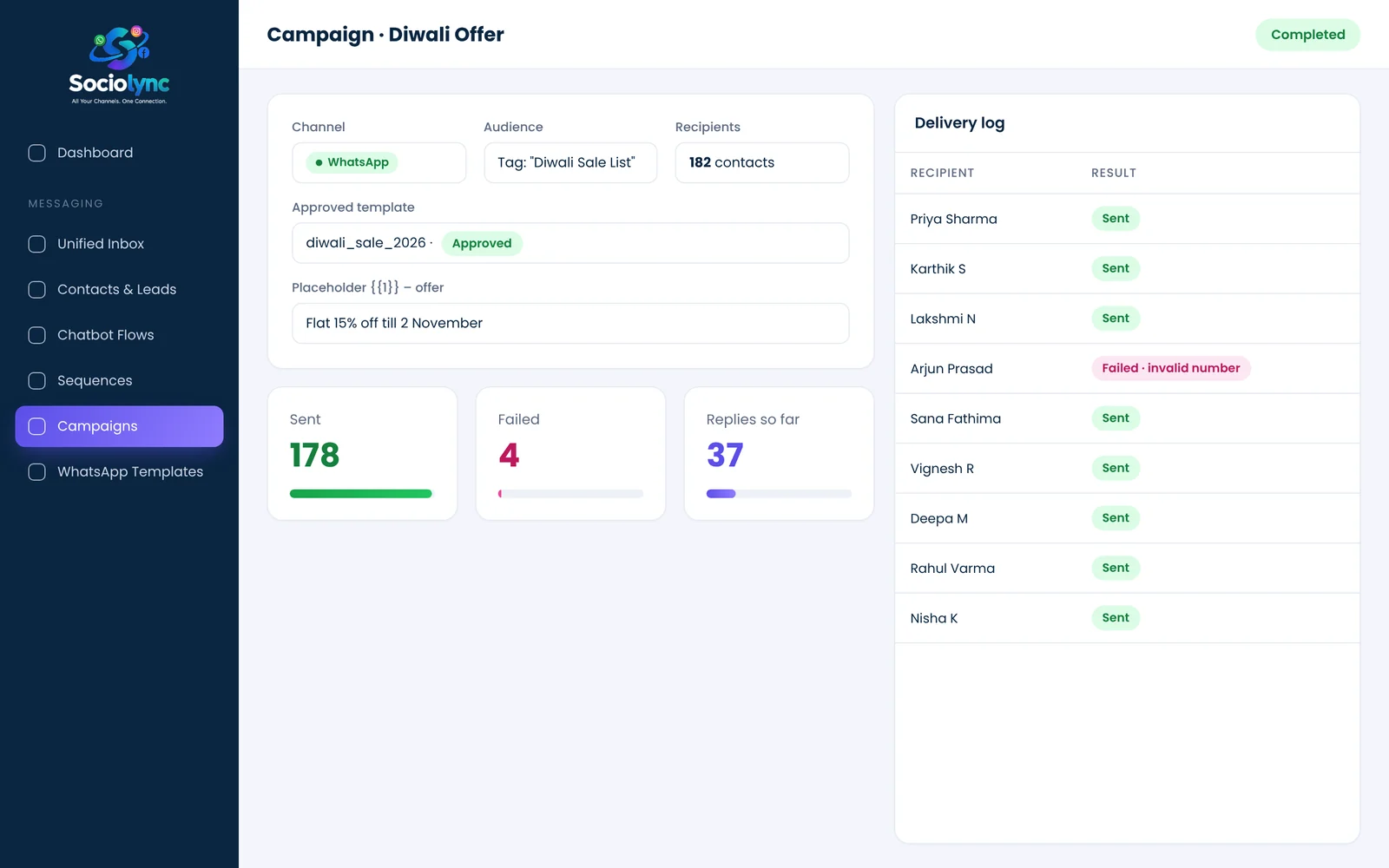
Bulk messaging (broadcast campaigns) in Sociolync sends one message to a filtered list of contacts, chosen by lead status, tag or channel. Use free text for contacts inside WhatsApp's 24-hour window, or an approved WhatsApp template to reach anyone else, and see a sent or failed result for every recipient.
What you get
- Filter recipients by lead status, tag or channel
- Approved templates with shared placeholder values
- Recipient preview before you confirm
- Sent and failed counts, per campaign and per recipient
Everything in Bulk Messaging.
Smart audiences
No spreadsheets; filter the contacts you already have.
Template sends
Reach contacts outside the 24-hour window, the WhatsApp-approved way.
Placeholders
Fill {{1}} with this week's offer for everyone at once.
Preview first
See exactly who will receive it before sending.
Delivery log
Every recipient's result is recorded.
Replies come home
Responses land in the unified inbox as conversations.
Up and running in three steps.
Choose the audience
Status, tag or channel.
Write or pick a template
Free text or an approved WhatsApp template.
Preview and send
Confirm the list, send, and watch results log in.
Bulk Messaging: your questions
How do I send bulk WhatsApp messages legally?
Message people who have opted in to hear from you, and use an approved WhatsApp template for anyone who hasn't messaged you in the last 24 hours. Sociolync builds both rules into the campaign screen.
Can I filter who receives a campaign?
Yes. Choose recipients by lead status, tag or channel.
Will I know which messages failed?
Yes. Each campaign records a sent or failed result for every recipient, with the reason where available.
Can I personalise a broadcast?
Yes. Approved templates support placeholders, such as the offer or date, filled in for the whole campaign.
Where do replies to a campaign go?
Straight into the unified inbox, as normal conversations with each contact.
Bring every conversation into one place
Start free for 14 days. No card needed, and no Meta account to set up first.