
Post where the conversations start.
Compose once and publish to Facebook, Instagram and your LinkedIn Company Page, from the same workspace that answers the messages those posts bring in.
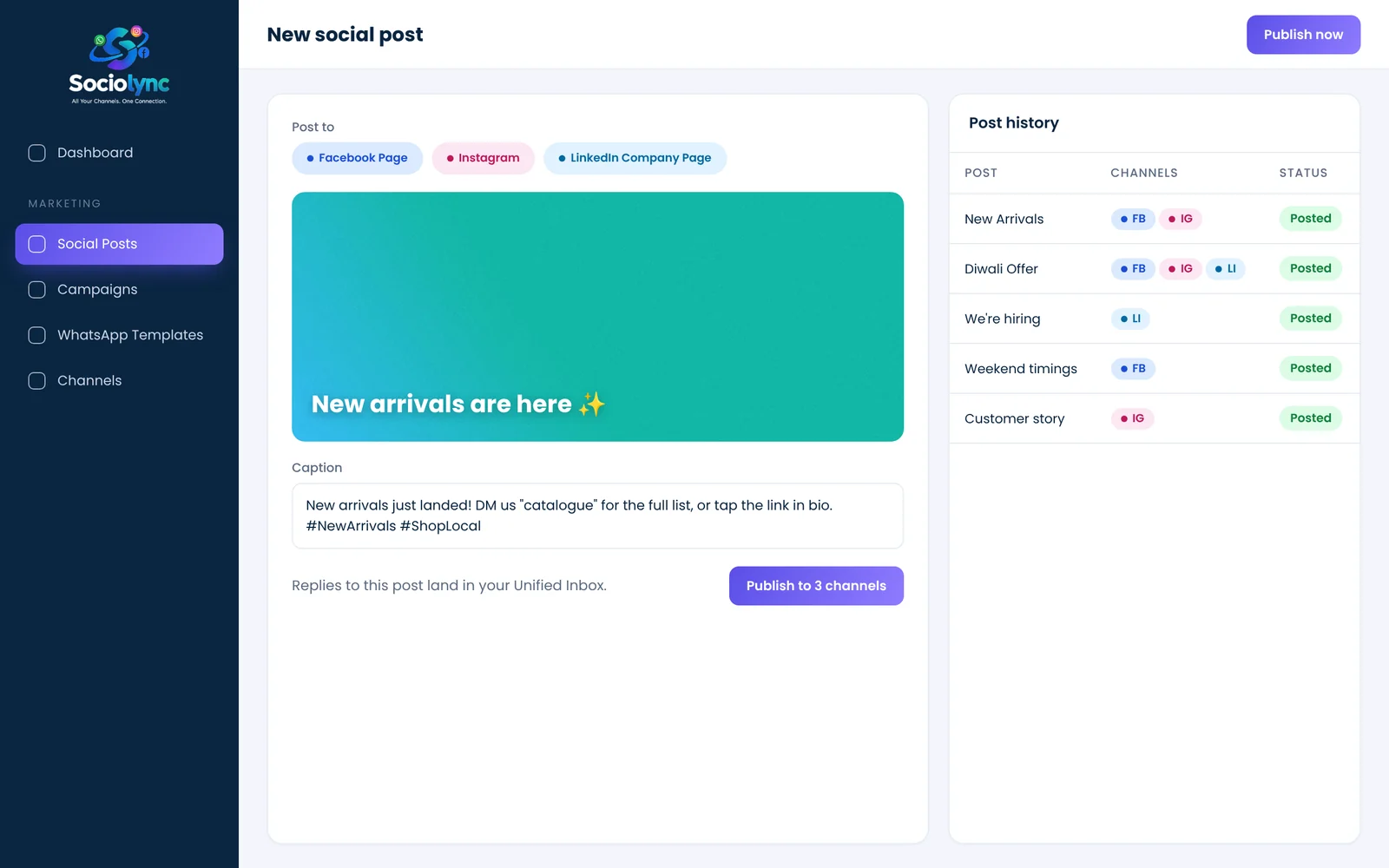
Social posting in Sociolync lets you compose one image post with a caption and publish it to your Facebook Page, Instagram account and LinkedIn Company Page together. Every post is kept in a history list, and the messages it generates arrive in the unified inbox.
What you get
- Image posts with caption and hashtags
- Facebook Page, Instagram and LinkedIn Company Page
- One-click LinkedIn connect
- Full post history, with delete
Everything in Social Posting.
Compose once
One caption, one image, three networks.
Pick the channels
Publish to any combination of connected accounts.
Post history
See what went out, where and when.
Connected replies
DMs triggered by a post land in your inbox.
Team-friendly
Anyone with access can post without sharing passwords.
Simple connect
Link LinkedIn with one click; Facebook and Instagram from Channels.
Up and running in three steps.
Connect accounts
Facebook Page, Instagram and LinkedIn Company Page.
Compose
Add the image and caption, choose channels.
Publish
It goes out everywhere at once and is logged in history.
Popular with
Social Posting: your questions
Can I post to Facebook, Instagram and LinkedIn at the same time?
Yes. Compose one post and choose any combination of your connected Facebook Page, Instagram account and LinkedIn Company Page.
Does it support LinkedIn personal profiles?
Sociolync posts to LinkedIn Company Pages.
Where do replies to my posts go?
Direct messages that come from your posts arrive in the unified inbox.
Can I delete a post later?
Yes. Post history lists every post, with an option to delete it.
Do team members need my social media passwords?
No. Accounts are connected once, and teammates post from inside Sociolync.
Bring every conversation into one place
Start free for 14 days. No card needed, and no Meta account to set up first.